What is Nginx Helper?
Nginx Helper is a free, open-source plugin created specifically for WordPress websites running on Nginx servers. It acts as a vital bridge between WordPress and Nginx, making it easier to manage cache, streamline configuration, and boost overall site performance.
Key Benefits
- Simplified configuration – no need for complicated manual setups.
- Improved performance – ensures your WordPress site runs smoothly on Nginx.
- Fine-grained cache management – clear and manage cache files directly from the WordPress dashboard.
- Lightweight & clean – completely free, ad-free, and easy to use.
Installation
You can find the plugin directly in the official WordPress plugin repository. Simply search for “Nginx Helper”, then install and activate it from your WordPress admin panel.
How to Configure the Nginx Helper Plugin for WordPress
The Nginx Helper plugin allows WordPress sites running on Nginx to manage FastCGI cache efficiently. Here’s how to set it up and choose the proper cache clearing method.
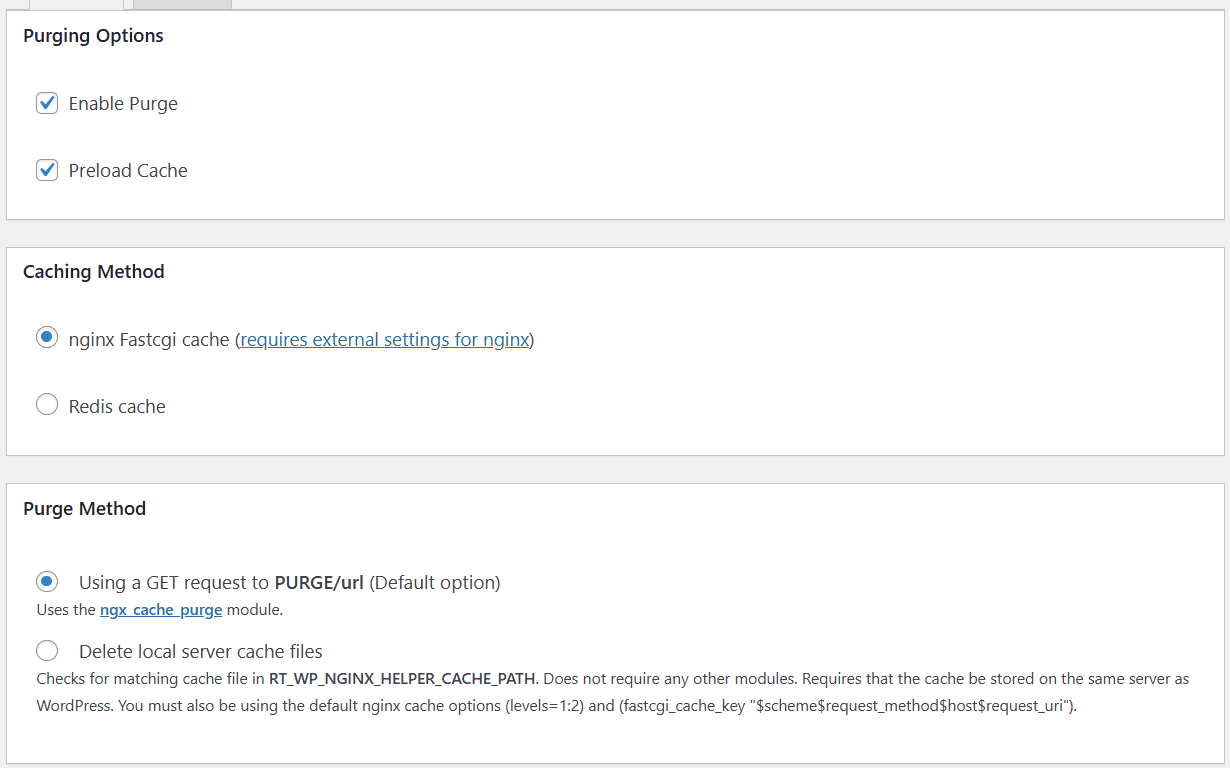
1. Enable Cache Clearing and Preloading
- Go to the plugin settings and check the options to enable cache clearing and cache preloading.
2. Select Nginx FastCGI Cache
- Choose “Nginx FastCGI Cache” as the caching method.
3. Choose the Cache Clearing Mode
- Multiple websites on the same server: select “Use GET request PURGE/url”.
- Single website on the server: select “Delete local server cache files”.
Using GET Request PURGE/url:
- The plugin sends a request like to Nginx.
PURGE /your/url - Nginx will use the configured to locate and delete the corresponding cache file.
fastcgi_cache_key - Requirements & Notes:
- Keep the purge path configured in your Nginx setup.
- For security, purge access is usually restricted to specific IPs.
- If you use a CDN, add your domain in pointing to your server’s real IP. This ensures the plugin can purge the cache directly without going through the CDN, which may block the request.
/etc/hosts
- If this setup seems too complicated, it’s safer to skip this mode.
Deleting Local Server Cache Files:
- The plugin deletes cache files directly from the server’s file system in the directory defined by .
RT_WP_NGINX_HELPER_CACHE_PATH - No ngx_cache_purge module is required.
Requirements:
- Cache directory structure must follow levels=1:2.
- Cache key must be:
$scheme$request_method$host$request_uri- Cache must reside on the local server (cannot be remote or shared storage).
Important:
- The plugin’s default cache path is .
/var/run/nginx-cache - If your server uses a custom cache path, the plugin may fail to locate and delete files.
- To fix this, edit the plugin file:
/wp-content/plugins/nginx-helper/includes/class-nginx-helper.phpAround line 88, replace the default path with your actual cache directory. - If you use aapanel and enable XSS attack protection, you need to add a custom cache directory to the .user.ini file in the root directory of the website to allow PHP open_basedir to access the cache. Note that each path is separated by : and ended with / .
This setup ensures your WordPress site can clear and manage Nginx FastCGI cache efficiently, whether using direct file deletion or PURGE requests.
The following part can remain as default:
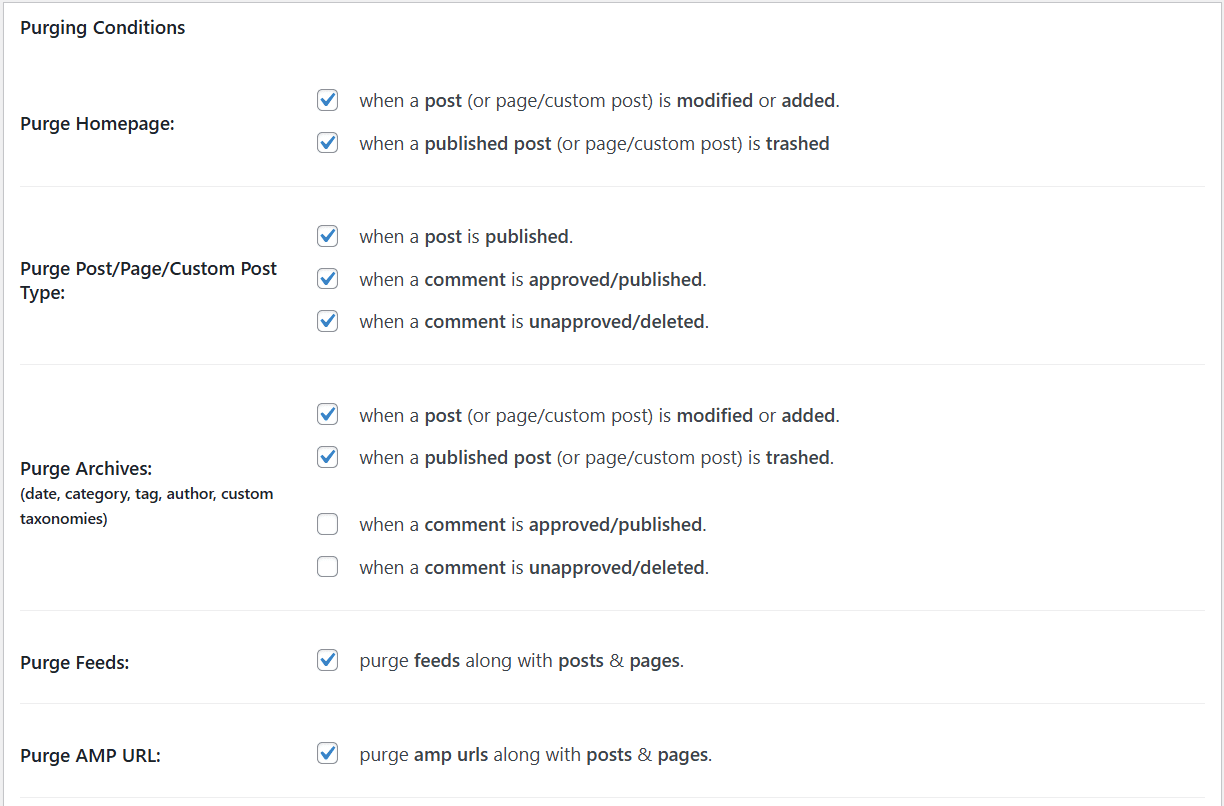
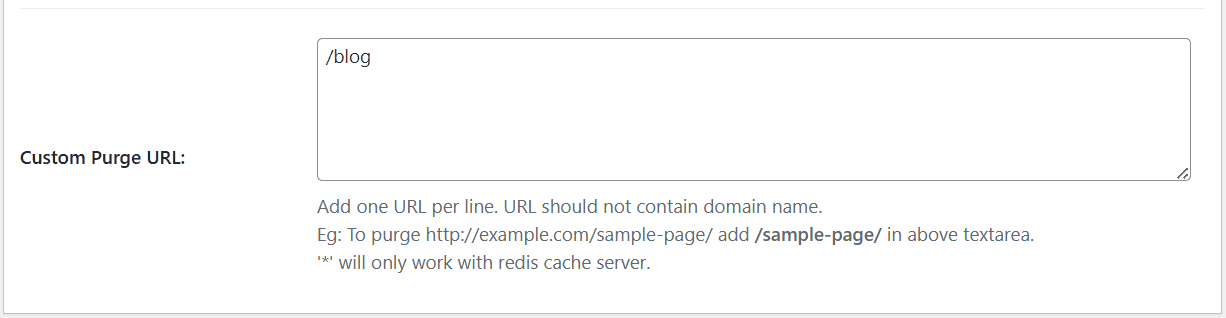
If you have custom archive pages or other non-standard pages that need cache clearing, you can list their URLs below—only enter the part after your domain name:
Clearing fastcgi_cache Without a Plugin (Code-Only Version of Nginx Helper)
The Nginx Helper plugin is mainly used for clearing Nginx FastCGI cache or Redis cache, and it works very well.
However, if for some reason you prefer not to use a plugin, you can also use Zhang Ge’s pure code version.
/**
 * WordPress Nginx FastCGI Cache Clearing Code (Code-Only Version of Nginx Helper) By Zhang Ge Blog
 * Article URL: https://zhang.ge/5112.html
 * Please retain the original source when reposting. Thank you!
 */

// Initialize configuration
$logSwitch  = 0;                  // Log switch: 1 = ON, 0 = OFF
$logFile    = '/tmp/purge.log';   // Log file path
$cache_path = '/tmp/wpcache';     // Cache directory path, set it to your cache location

// Clear all cache (admin only) Example: http://www.domain.com/?purge=all
if ($_GET['purge'] == 'all' && is_user_logged_in()) {
    if( current_user_can( 'manage_options' ))
    {
        delDirAndFile($cache_path, 0);
    }
}

// Cache clearing hooks
add_action('publish_post', 'Clean_By_Publish', 99);                   // Clear cache on post publish/update
add_action('comment_post', 'Clean_By_Comments',99);                   // Clear cache on comment submission (can be commented out if not needed)
add_action('comment_unapproved_to_approved', 'Clean_By_Approved',99); // Clear cache when comment is approved (can be commented out if not needed)

// Clear cache when a post is published
function Clean_By_Publish($post_ID){
    $url = get_permalink($post_ID);

    cleanFastCGIcache($url);                 // Clear cache for current post
    cleanFastCGIcache(home_url().'/');       // Clear homepage cache (can comment out if not needed)

    // Clear cache for the post’s categories (can comment out if not needed)
    if ( $categories = wp_get_post_categories( $post_ID ) ) {
        foreach ( $categories as $category_id ) {
            cleanFastCGIcache(get_category_link( $category_id ));
        }
    }

    // Clear cache for the post’s tags (can comment out if not needed)
    if ( $tags = get_the_tags( $post_ID ) ) {
        foreach ( $tags as $tag ) {
            cleanFastCGIcache( get_tag_link( $tag->term_id ));
        }
    }
}

// Clear cache when a comment is submitted
function Clean_By_Comments($comment_id){
    $comment  = get_comment($comment_id);
    $url      = get_permalink($comment->comment_post_ID);
    cleanFastCGIcache($url);
}

// Clear cache when a comment is approved
function Clean_By_Approved($comment)
{
    $url      = get_permalink($comment->comment_post_ID);
    cleanFastCGIcache($url);
}

// Logging function
function purgeLog($msg)
{
    global $logFile, $logSwitch;
    if ($logSwitch == 0 ) return;
    date_default_timezone_set('Asia/Shanghai');
    file_put_contents($logFile, date('[Y-m-d H:i:s]: ') . $msg . PHP_EOL, FILE_APPEND);
    return $msg;
}

// Cache file deletion function
function cleanFastCGIcache($url) {
    $url_data  = parse_url($url);
    global $cache_path;
    if(!$url_data) {
        return purgeLog($url.' is a bad url!' );
    }

    $hash        = md5($url_data['scheme'].'GET'.$url_data['host'].$url_data['path']);
    $cache_path  = (substr($cache_path, -1) == '/') ? $cache_path : $cache_path.'/';
    $cached_file = $cache_path . substr($hash, -1) . '/' . substr($hash,-3,2) . '/' . $hash;

    if (!file_exists($cached_file)) {
        return purgeLog($url . " is currently not cached (checked for file: $cached_file)" );
    } else if (unlink($cached_file)) {
        return purgeLog( $url." *** CLeanUP *** (cache file: $cached_file)");
    } else {
        return purgeLog("- - An error occurred deleting the cache file. Check the server logs for a PHP warning." );
    }
}

/**
 * Delete a directory and all files inside (or a single file)
 * Code from ThinkPHP: http://www.thinkphp.cn/code/1470.html
 * @param string $path Path of the directory to delete
 * @param int $delDir Whether to delete the directory itself: 1/true = delete, 0/false = only delete files and keep directory (including subdirectories)
 * @return bool Returns deletion status
 */
function delDirAndFile($path, $delDir = FALSE) {
    $handle = opendir($path);
    if ($handle) {
        while (false !== ( $item = readdir($handle) )) {
            if ($item != "." && $item != "..")
                is_dir("$path/$item") ? delDirAndFile("$path/$item", $delDir) : unlink("$path/$item");
        }
        closedir($handle);
        if ($delDir)
            return rmdir($path);
    } else {
        if (file_exists($path)) {
            return unlink($path);
        } else {
            return FALSE;
        }
    }
}
Simply paste the entire code snippet into your WordPress theme’s functions.php file. Once done, the cache for the current post will be automatically cleared whenever a post is published/updated or a comment is submitted/approved. When publishing/updating a post, the homepage, categories, and related tag pages will also be cleared—these can be disabled by commenting out the corresponding lines in the code if not needed.
Additionally, to clear all cache, you can visit your homepage with the ?purge=all parameter while logged in as an administrator, for example:
https://soez.website/?purge=allThis has no effect for other users or visitors. If you want, you can also change the parameter string in the code for extra security.
Note: This parameterized URL will itself be cached by Nginx, so ?purge=all only works once—refreshing a second time will have no effect. To fix this, simply exclude this path from Nginx FastCGI cache in your cache configuration.
# Do not cache admin or special pages
if ($request_uri ~* "purge=all|/wp-admin/|/xmlrpc.php|wp-.*.php|/feed/|index.php|sitemap(_index)?.xml") {
    set $skip_cache 1;
}
If you are using Cloudflare to accelerate your website, please point your domain name to 127.0.0.1 in the /etc/hosts file.
These configurations can basically meet the cache clearing needs of most websites.