In today’s digital era, building a website or deploying applications inherently relies on server infrastructure. Shared Hosting and VPS (Virtual Private Server) are two of the most common web hosting solutions, each with its own characteristics suited to different scenarios. This article provides a comprehensive analysis and comparison of Shared Hosting and VPS to help you make the right choice.
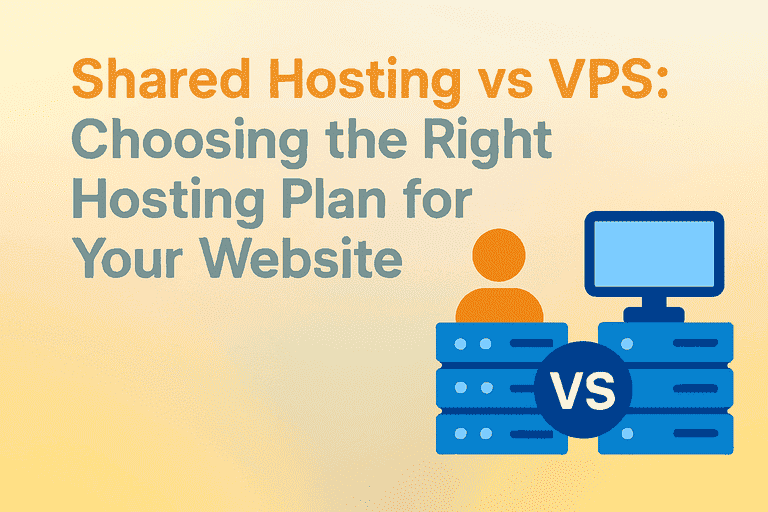
1. What Is Shared Hosting?
Definition & How It Works
Shared Hosting, also known as virtual hosting, is the most entry-level and cost-effective website hosting option. Its core principle involves dividing the resources (CPU, memory, storage, bandwidth, etc.) of a single physical server into multiple independent virtual spaces, each rented out to different users.
Think of it like an apartment building: all tenants share the infrastructure (water, electricity, internet), but each has their own room. On Shared Hosting, your website shares the same server’s hardware and software with potentially hundreds or thousands of others, yet you have a separate file directory and control account.
Common Uses
- Personal Blogs: For beginners with relatively low traffic and infrequent updates, Shared Hosting offers sufficient resources at low cost and ease of use.
- Corporate Websites: Many small to medium enterprises use websites mainly for showcasing information and products with limited traffic; Shared Hosting can meet these needs while reducing IT costs.
- Small-scale E-commerce: For small online stores with limited product offerings and orders, Shared Hosting can provide a stable environment for normal website access and transaction functionality.
Pros & Cons
Advantages
- Low Cost: Resources are shared among users, making hosting fees relatively low—very friendly for individuals or small businesses on a budget.
- Ease of Use: Shared Hosting typically comes with an easy-to-use control panel. Users without advanced server management skills can quickly build, bind domains, upload files, etc.
- Convenient Maintenance: The hosting provider takes care of hardware maintenance, system updates, and security, allowing users to focus on content and operations.
Disadvantages
- Limited Resources: Since CPU, memory, bandwidth, and storage are shared, other sites consuming too many resources can slow your site or cause instability.
- Low Flexibility: Configuration options are fixed. Users cannot freely change resource allocations or install special software/components.
- Lower Security: Since many websites share one server, if one site is attacked or infected, it may affect others, posing security risks.
2. What Is VPS (Virtual Private Server)?
Definition & How It Works (Virtualization Technology)
A VPS is a more advanced hosting solution that falls between Shared Hosting and a dedicated server. It also operates multiple users on one physical machine but uses more advanced virtualization technologies to isolate and allocate resources.
Technologies like KVM (Kernel-based Virtual Machine) and OpenVZ are used to partition one physical server into multiple independent virtual servers. Each VPS has:
- Its own operating system (OS)
- Dedicated CPU cores, memory, storage
- Independent IP address
KVM: Offers full virtualization—each VPS runs its own kernel and supports various operating systems like Linux or Windows. It provides excellent isolation and performance close to that of dedicated servers.
OpenVZ: A container-based OS-level virtualization, where all VPS instances share the host’s kernel. It only supports Linux systems but has lower overhead and better efficiency. Isolation is weaker, and modern replacements like LXC or Docker are becoming more common.
You can think of a VPS as a townhouse: each unit has its own walls, utilities, and address—even though they share the foundation, you fully control your internal space without neighbor interference.
Common Uses
- High-Traffic Websites: Once a website sees significant traffic, Shared Hosting may no longer suffice. A VPS with dedicated resources ensures stable operation and avoids slowdowns or crashes.
- Application Deployment: Developers often choose VPS to deploy web apps, mobile backends, etc. VPS provides a flexible environment suited for configuration and maintenance as needed.
- Game Servers: Small-scale game servers require dedicated CPU, memory, and bandwidth for smooth performance; VPS delivers this reliably for better player experience.
Pros & Cons
Advantages
- Dedicated Resources: With independent CPU, memory, bandwidth, and storage, your site or application runs reliably, unaffected by others.
- High Flexibility: You can adjust configuration—adding CPU cores, expanding memory, increasing bandwidth—and choose your OS and software.
- Better Security: Each VPS is isolated; if one is compromised, it doesn’t affect others. You can apply your own security configurations.
Disadvantages
- Higher Cost: VPS is more expensive than Shared Hosting, as you get dedicated resources and more capabilities—this can be burdensome for budget-limited users.
- Requires Technical Knowledge: Managing a VPS involves installing/configuring the OS, deploying and maintaining software, and ensuring security. Beginners may face a steep learning curve.
- Virtualization Limitations: Some technologies (e.g., OpenVZ) only support Linux and may restrict OS choices.
3. Shared Hosting vs VPS: Side-by-Side Comparison
| Feature | Shared Hosting | VPS Hosting |
|---|---|---|
| CPU | Shared among users—performance varies and weaker | Dedicated—stronger and more stable performance |
| Memory | Shared—can decrease if others use too much | Independently allocated—consistent performance |
| Bandwidth | Shared—may slow during peak periods | More stable and faster independent bandwidth |
| I/O | Shared—read/write speeds may fluctuate | Dedicated—faster and more stable I/O |
| Security | Lower—sites share the same server | Higher—each VPS is isolated, reducing risk |
| Isolation | Weak—neighbor effects possible | Strong—full separation and control |
| Cost | Very low—suitable for tight budgets | Higher—but offers better resources and service |
| Flexibility | Limited—fixed setup | High—upgrade/downgrade, custom installations allowed |
| Management Difficulty | Very easy—control panel provided | Needs server management skills (unless managed) |
4. Scenario Comparison Table
| Scenario | Shared Hosting | VPS |
|---|---|---|
| Low-traffic personal website | Recommended (low cost, easy) | Not necessary (resource waste) |
| High-traffic corporate site | Not recommended (performance issues) | Recommended (stable & scalable) |
| Custom application development | Limited support | Recommended (root access available) |
| Game or multimedia server | Not suitable (high latency) | Recommended (low latency config) |
| Budget-conscious beginner user | Recommended | Not recommended (complex management) |
5. Key Factors When Choosing Shared Hosting
- Storage & Bandwidth Limits
Ensure sufficient space for your files (pages, images, videos) and monthly traffic allowance to avoid service suspension due to overuse. - Control Panel (cPanel, Plesk, DirectAdmin)
- cPanel: User-friendly and powerful, great for beginners
- Plesk: Supports both Windows and Linux, rich features, good for managing multiple sites
- DirectAdmin: Lightweight, fast, cost-effective
- Support for SSL, PHP Versions, Databases
SSL ensures secure data transfer; matching PHP version is crucial for program compatibility; enough databases are needed for multiple apps/sites. - Technical Support & After-sales Service
Choose providers offering 24/7 fast response, good service attitude, backup and repair policies to quickly resolve issues.
6. Key Factors When Choosing VPS
- Server Configuration (CPU cores, memory, SSD/HDD)
More cores and RAM directly improve computing ability and speed; SSDs are much faster than HDDs—opt for SSD if possible. - Bandwidth & Traffic
Higher bandwidth improves access speed; traffic caps must align with visit volume to avoid extra fees or disruptions. - Operating System (Linux distributions, Windows Server)
Linux (e.g., CentOS, Ubuntu) is free, stable, secure—ideal for web apps and databases. Windows Server supports Windows apps like ASP.NET—choose based on your application requirements. - Management Type (Managed vs Unmanaged)
- Managed VPS: Provider handles maintenance, updates, security—good for non-technical users, though costlier
- Unmanaged VPS: You manage the server—suitable if you have technical ability, more affordable
- Data Center Location & Network Latency
Closer data centers mean lower latency and faster user experience—choose based on your target audience’s location. - Budget & Long-term Planning
- Starter Prices:
- Shared Hosting: tens to hundreds of RMB/month
- VPS: several hundred to thousands of RMB/month depending on configuration
- Consider long-term scalability and migration ease
- Starter Prices:
- Scalability (Upgrade/Migration)
Shared Hosting offers limited scalability. VPS is highly scalable—you can upgrade CPU, memory, bandwidth as your needs grow. Ensure the provider supports smooth migration.
Shared Hosting and VPS are not about “which is better”—they are tailored solutions for different needs and growth stages. Shared Hosting excels in cost-efficiency and simplicity, making it ideal for beginners. VPS provides enhanced performance, security, and flexibility—empowering growing websites and developers.
By clearly evaluating your current and future needs and referring to this guide, you can confidently choose the most suitable hosting service to lay a solid foundation for your online venture.